
Claude Usage
Your Claude limits, in the menu bar.
Two rings: your 5‑hour session inside, your weekly limit outside, each filling as you use it. A tick on each ring shows how far through the window you are, and turns red when you're on pace to hit the limit before it resets — so you find out now, not mid‑task.
Free. For Apple silicon Macs with macOS 14 Sonoma or later.
Reads your limits from claude.ai with your own claude.ai sign‑in, and checks Claude's status page for outages. It connects nowhere else — not even to us.
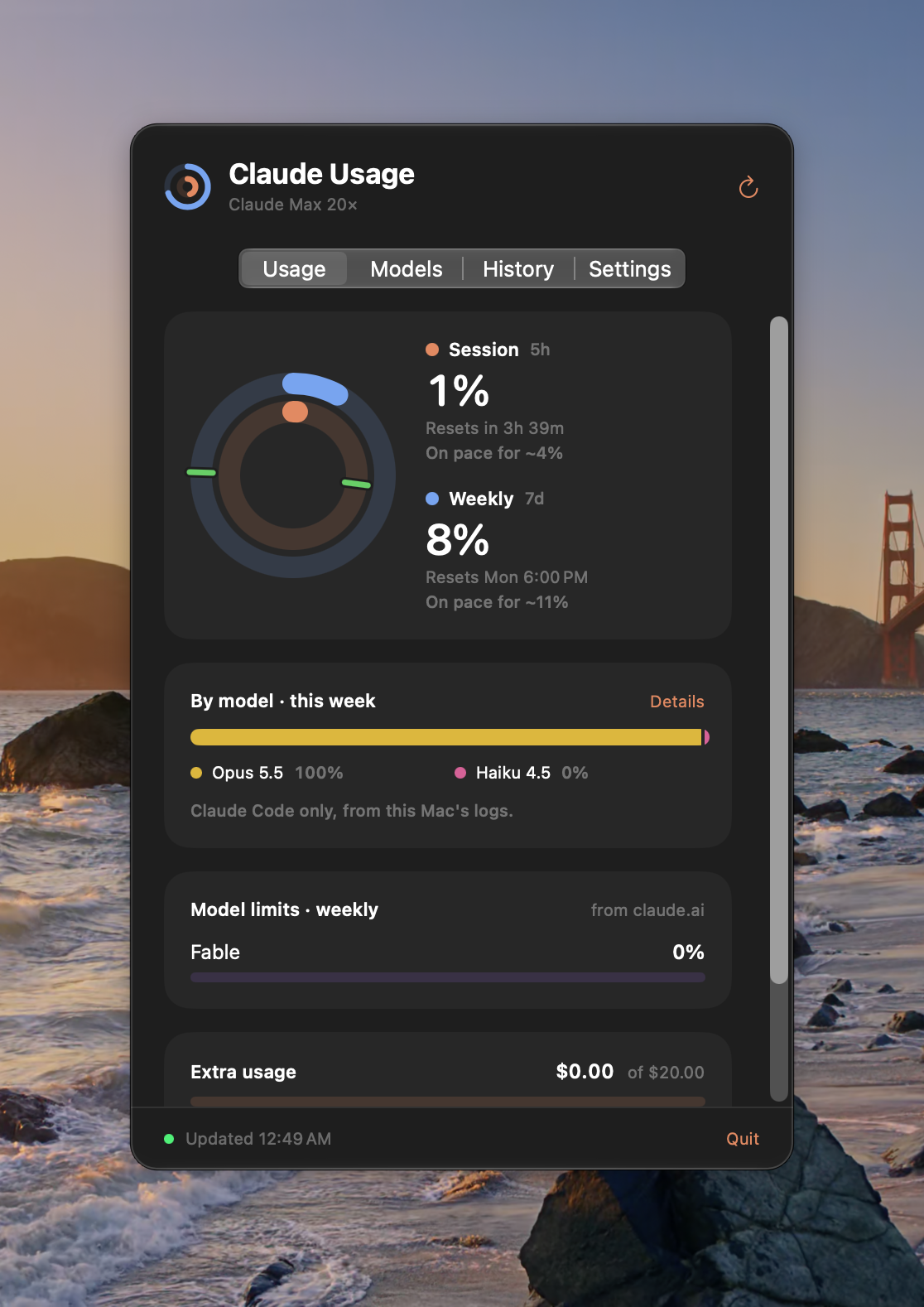
Pace, not just percent.
40% means nothing without knowing how much of the window is left. Each ring's tick marks the time gone: green when you're on track, orange when it's close, red when you'll run out before the reset. The rings themselves turn orange and then red as you near the limit.
See where it went.
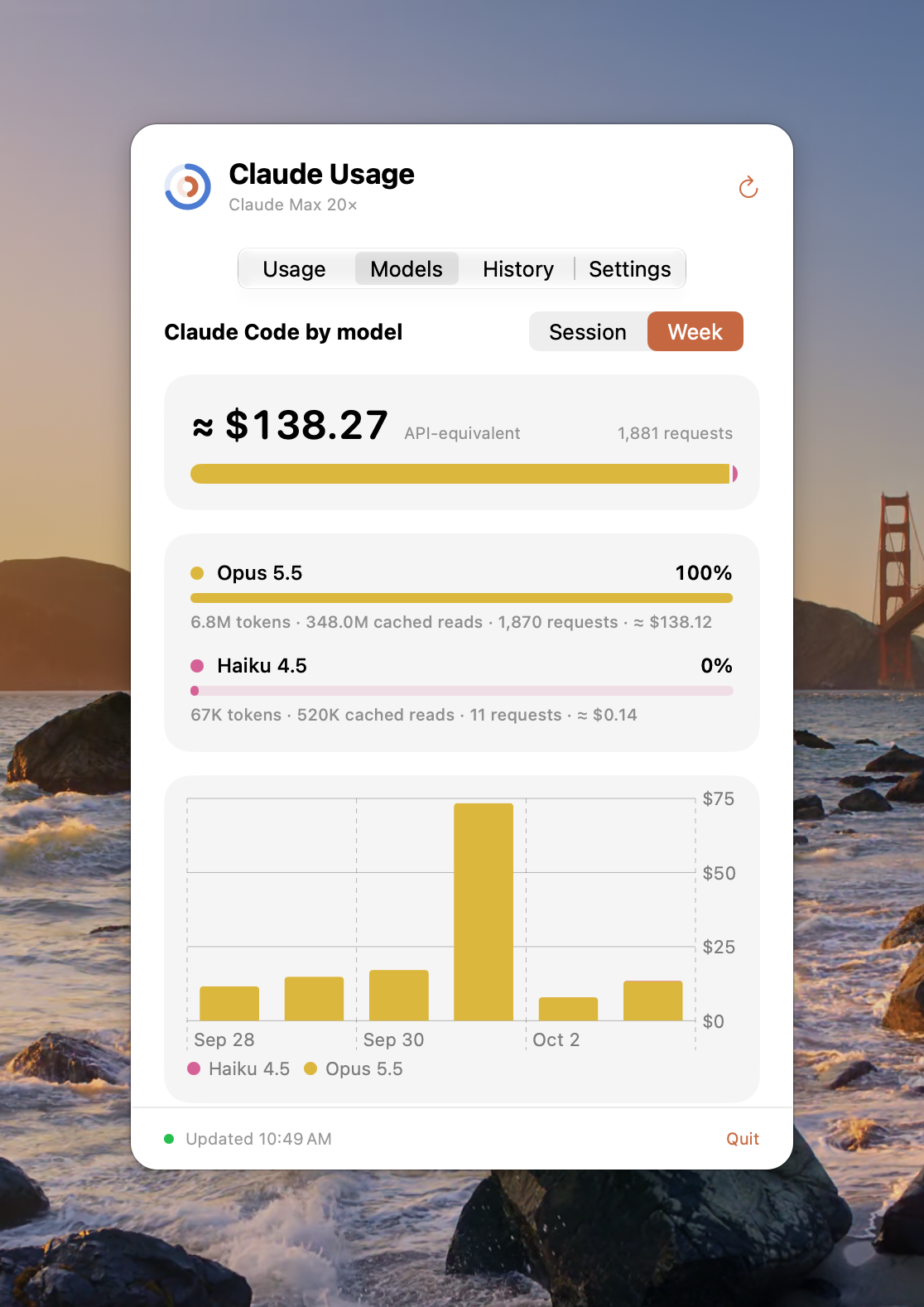
The Models tab breaks your Claude Code usage down by model for the session or the week, with tokens, requests, and what it would have cost at API prices. It reads Claude Code's own logs on your Mac, and only reads them.
Warned, then told it's back.
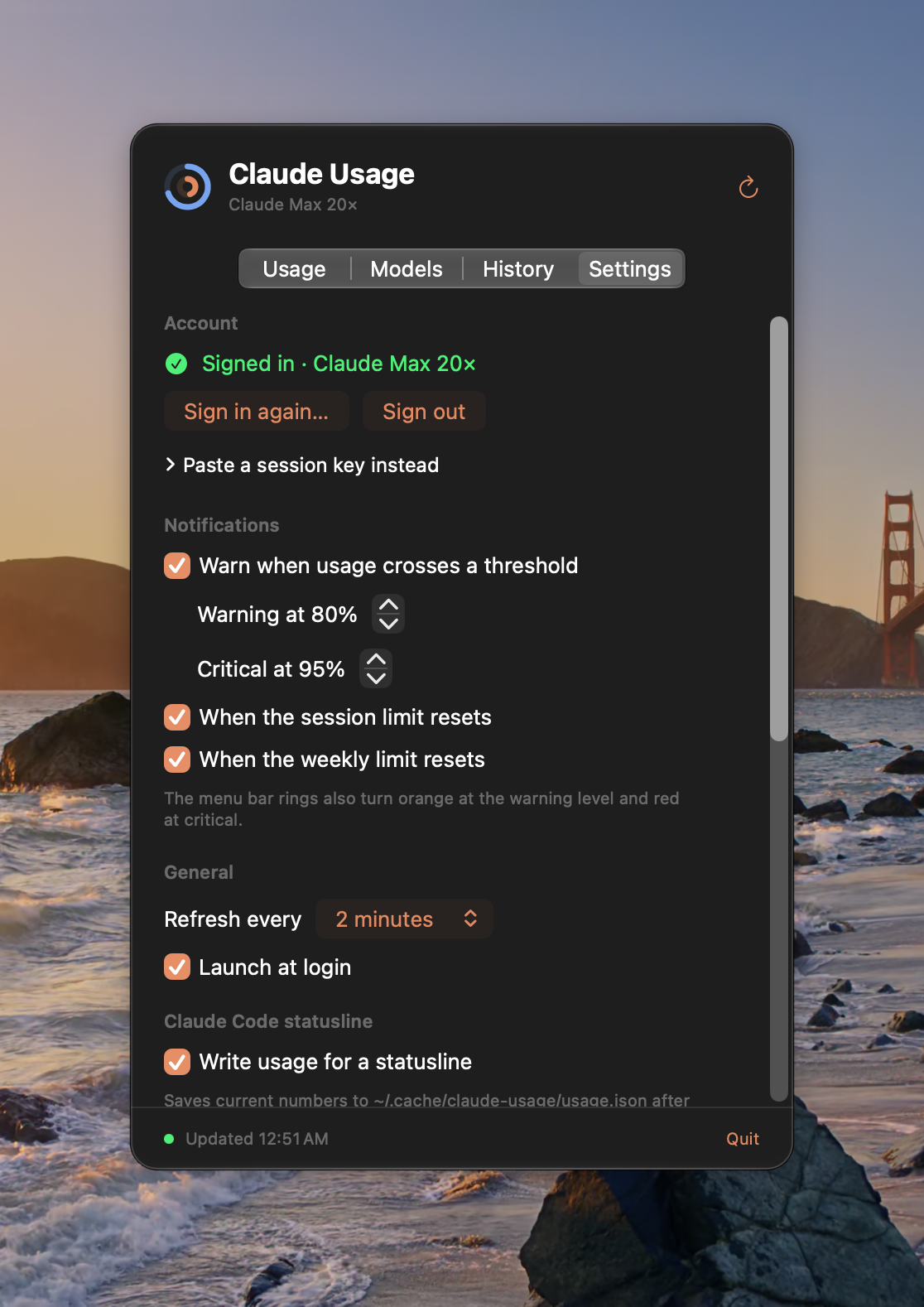
A notification when you cross your warning and critical thresholds, and another when the session or weekly limit resets — so you can stop rationing the moment you don't have to. The History tab keeps up to 90 days, so you can see how your weeks usually go.
How it works
-
Sign in to claude.ai.
In a login window inside the app, the same way you would in a browser — or paste a session key if you'd rather. The session lives only in the app's own Keychain item. No API key needed.
-
Glance at the rings.
They're the same numbers claude.ai's own usage page shows, refreshed every couple of minutes. Click for the details.
-
Optionally, put it in Claude Code too.
Turn on Write usage for a statusline and the bundled statusline script shows your model, folder, and context alongside session and weekly bars, under Claude Code's prompt in Terminal. The Code tab of the Claude desktop app doesn't run statuslines, so Claude Usage includes a small Claude Code plugin that draws the same bars above the prompt there. Nothing is installed until you press Install.


The fine print
- Session and weekly limits, reset countdowns, and pace projections
- claude.ai's per‑model weekly limits, and extra usage spend when it's on
- Claude service status in the popover
- Adjustable warning and critical thresholds
- Model breakdown covers Claude Code; claude.ai doesn't report which model a chat used
- Never reads or touches Claude Code's credentials
- Never writes into
~/.claudeitself — the statusline is yours to install, and the desktop plugin goes in through Claude Code's own command when you press Install - Native Swift app for Apple silicon, notarized by Apple
- No built‑in updater yet — new versions are posted here
- Free — no account with us, no analytics, no telemetry
Claude Usage is an independent app. It is not made by, affiliated with, or endorsed by Anthropic. Claude and Claude Code are Anthropic products.